
Get your show ready with Event Checkup
See what is missing or misconfigured across your event profile, exhibitors, speakers, sponsors and booth sales.
Event Checkup reviews your show feature by feature and lists anything missing before you open to exhibitors and attendees. Open it from Setup & Settings in the show sidebar.
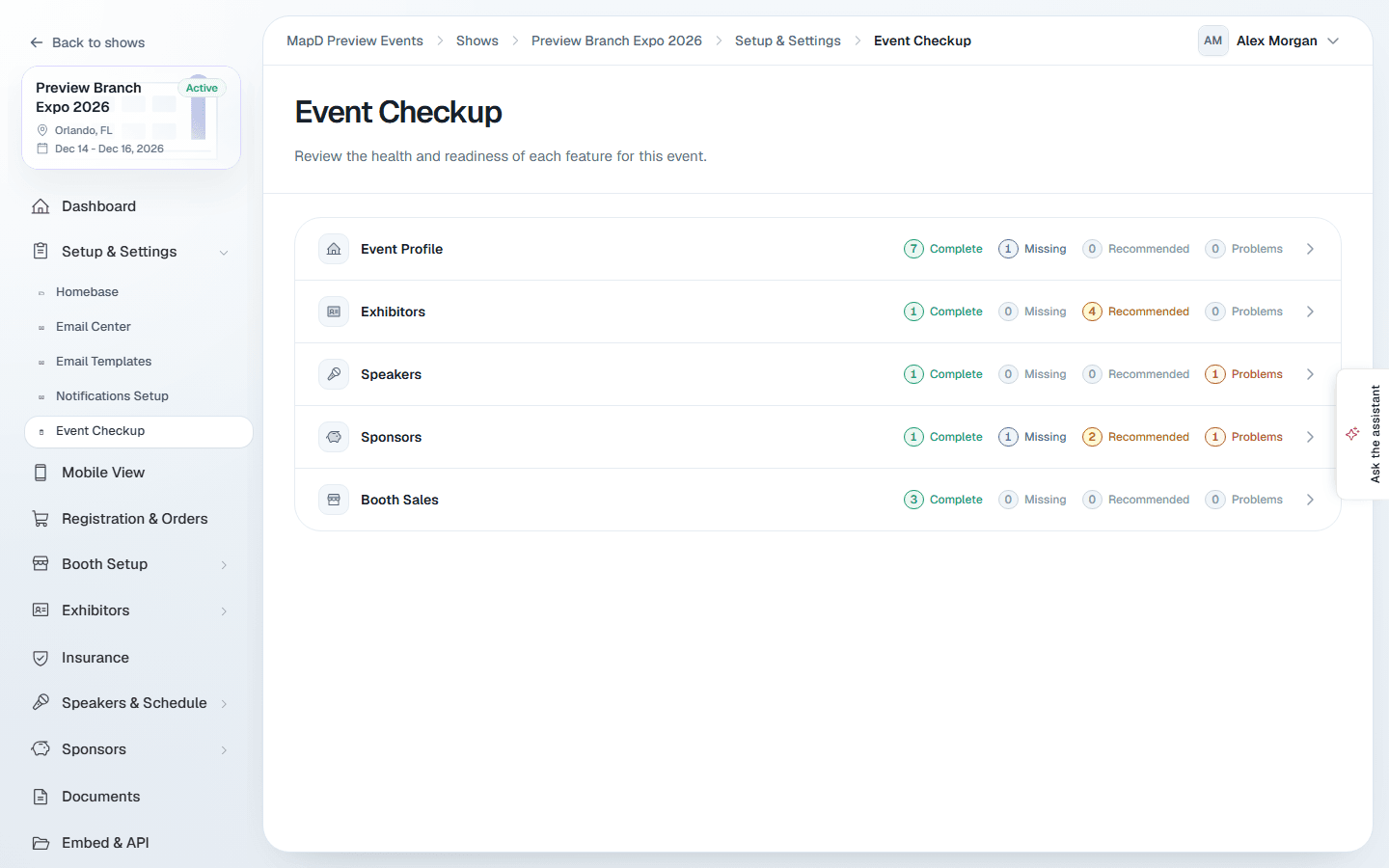
Read the results
Each feature shows four counts:
- Complete: required items that are done.
- Missing: required items that still need doing.
- Recommended: suggestions that make your show better but are not required.
- Problems: things that are set up in a way that will cause trouble.
Expand a feature to see the list, with problems first. "No issues found" means that feature is ready.
Select Ignore on a recommendation to hide it while you work through the list. It comes back when you reload the page.
What it checks
| Feature | Examples of what it looks for |
|---|---|
| Event Profile | Name, dates, venue, time zone, description and banner image. Also that the start date is before the end date. |
| Exhibitors | At least one exhibitor, and whether exhibitors have a description, booth, contact and website. |
| Speakers | At least one speaker, with a bio, photo and title, assigned to sessions. Also sessions with no speaker. |
| Sponsors | Sponsor levels and sponsors, with logos and websites. |
| Booth Sales | Sales turned on, booth types with prices, purchasable booths, a payment provider, registration dates and checkout terms. |
Fix what it finds
Most items point to a page you already know:
- Exhibitors: see Add and import exhibitors.
- Speakers and sessions: see Speakers and your schedule.
- Booth sales: see Open booth sales and Set up payments.
Some items are managed by Map D, including your show's name, dates, venue, description, banner image, and sponsors. Contact Map D to change them.
Still need help?
Contact your Map D account team. Include your show name and, if something looks wrong, a screenshot of the page.
Last updated September 25, 2026