
Find your exhibitor profile
Where your exhibitor portal is, what each column and button on your profile row does, and why a show might be missing.
After you sign in, Map D opens My Profiles. This page is your exhibitor portal: every show you exhibit at with this organizer is listed here, one row per show. If you also take part in events with other organizers, you land on My events instead, which lists them all. See See all your events in one place.
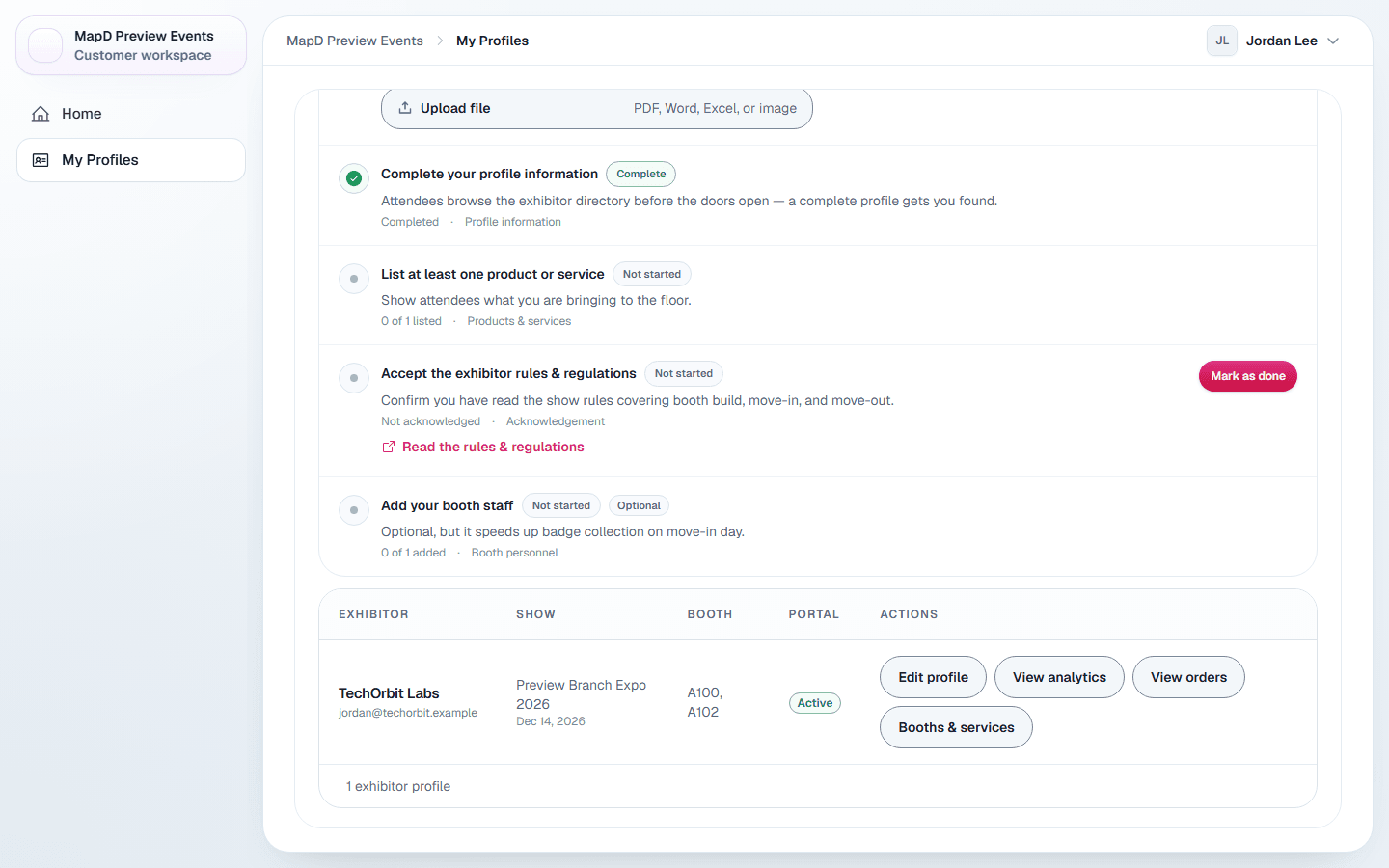
The profile list
Select the Exhibitor profiles tab at the top of the page if it is not already open. Each row shows:
| Column | What it shows |
|---|---|
| Exhibitor | Your company name and contact email. |
| Show | The show and its start date. |
| Booth | Your booth, or a dash if none is assigned yet. |
| Portal | Active once your account is set up, or Invited if setup is not finished. |
| Actions | Edit profile, and a More actions menu (three dots) with everything else. |
A Merge booths link under your booth lets you ask to turn booths that sit side by side into one booth, when your organizer allows it. See Merge your booths into one.
If your organizer wrote a welcome message, it is the first thing on the page, with the show's name when you exhibit at more than one. If your show has an onboarding checklist, it appears above the list. See Complete your onboarding checklist.
What you can do on each row
Edit profile is a button on the row. Everything else is in the row's More actions menu, the three dots beside it. Which items you see depends on what your show organizer has turned on.
- Edit profile: your company details, staff, products, photos and videos. See Edit your company profile.
- View analytics: how visitors engage with your profile. See See how visitors use your profile.
- View orders: what you have bought for this show. See View your orders.
- Documents: files and links your organizer shares with exhibitors, such as the exhibitor manual. It appears only when there are some.
- Booth and Services (your organizer may call it something else): buy services and extra staff spots. If your organizer sells through their registration page instead, the item reads Booths & services and opens that page in a new tab.
- Manage insurance: buy exhibitor liability insurance or upload your certificate. See Insurance and your certificate of insurance.
A show is missing from the list
- Rows only appear for shows where you accepted the portal invite with the account you are signed in with. If a colleague accepted it instead, they see the row, not you.
- Your organizer may have locked portal access for your company. Locked profiles are hidden until they unlock them.
- A show your organizer still runs on their previous platform is listed as view-only and can't be edited here yet. It no longer stops your other shows from loading.
- If you exhibit with a different organizer, their shows are on that organizer's own My Profiles. My events lists every show from every organizer: open it from All my events at the bottom of the organization menu at the top of the sidebar. See See all your events in one place.
In each of these cases, your show organizer can check your access and resend the invite. See Your show organizer or Map D: who to ask.
Still need help?
For questions about your show, booth or invoice, contact your show organizer. Their contact details are in your invite and order emails. Who to ask
Last updated November 12, 2026