
See how visitors use your profile
What your profile analytics show: views, visitors, tab views and link clicks.
View analytics on your profile row shows how attendees engage with your profile on the show's Homebase. Use it to see whether your description, products and links are getting attention.
Figures cover the whole life of the show, from the first visit to today. There is no date filter.
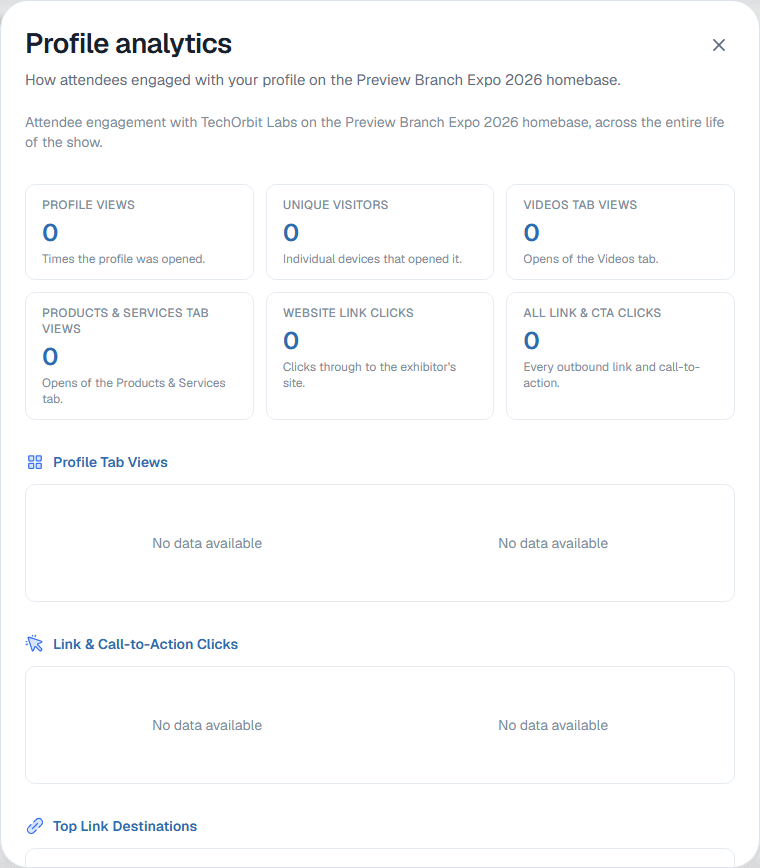
What you can see
- Profile views and Unique visitors
- Videos tab views and Products & Services tab views
- Website link clicks and All link & CTA clicks
- Profile Tab Views: which tabs of your profile people open
- Link & Call-to-Action Clicks and Top Link Destinations: which links people follow
- Profile views during the event dates: a day-by-day chart for the show days
- Profile Views by Device Type: phone, tablet or computer
From your previous platform
If the show moved to Map D from another platform, the dialog ends with From your previous platform: how many times your profile was opened there, in all and during the show. Those views are not added to the figures above.
No numbers yet
"No engagement recorded yet" means nobody has opened your profile on the Homebase so far. Numbers appear as visitors arrive, usually once the organizer publishes the exhibitor list.
If View analytics is missing from your row, your organizer has turned analytics off for your profile.
Still need help?
For questions about your show, booth or invoice, contact your show organizer. Their contact details are in your invite and order emails. Who to ask
Last updated September 30, 2026