
Track exhibitor insurance
Require exhibitor liability coverage through Vertical Insure and track each certificate of insurance.
If your show includes Insurance, Map D works with Vertical Insure so you can require exhibitors to carry liability coverage and track who has it. Open Insurance in the show sidebar.
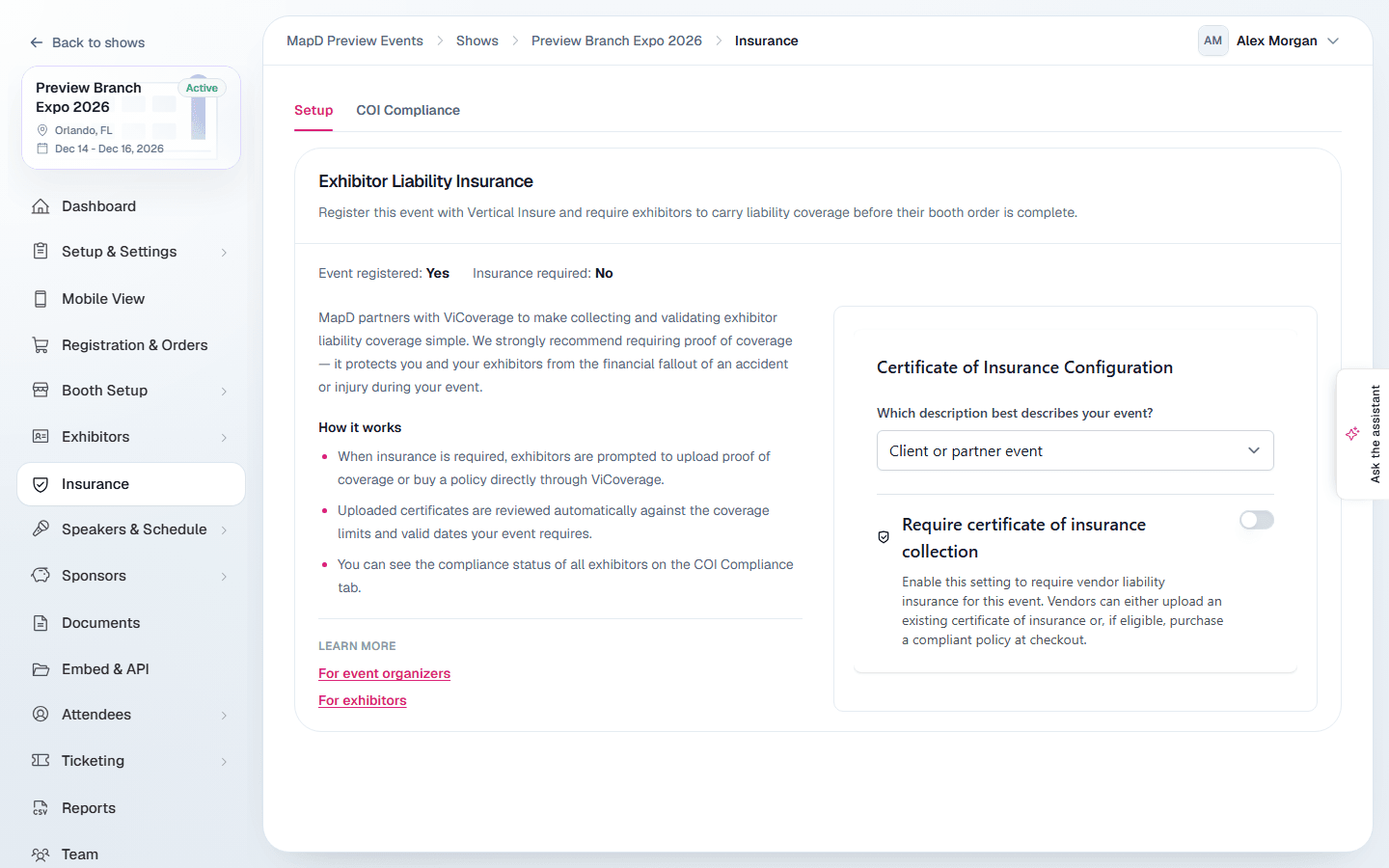
Setup
On the Setup tab, register your event with Vertical Insure and choose whether insurance is required. The settings appear in Vertical Insure's panel on the page. The summary shows whether your event is registered and whether insurance is required.
Once set up, exhibitors are asked for coverage during checkout and can manage it from their portal. They can buy a policy or upload a certificate of insurance (COI) they already have. See the exhibitor guide Insurance and your certificate of insurance.
COI Compliance
The COI Compliance tab shows every exhibitor's insurance status:
- The tiles at the top, Compliant, In progress, Declined or rejected and Not started, count exhibitors and filter the list when selected.
- The table shows each company, its COI status, coverage, booths, and a Download COI link.
- Select an exhibitor to see their coverage, contact details and, for rejected certificates, why it did not pass.
- Flags such as Expires mid-show and No policy on file point out coverage problems.
Select Refresh statuses for the latest from Vertical Insure, or Export CSV to download the list.
Still need help?
Contact your Map D account team. Include your show name and, if something looks wrong, a screenshot of the page.
Last updated September 29, 2026