
The AI Assistant
Ask plain-language questions about sales, inventory and pricing across your shows, and how to do things in Map D.
The AI Assistant answers questions about any show you can access: sales, booth inventory and pricing, and it can tell you how to do things in Map D. Open AI Assistant in the organization sidebar.
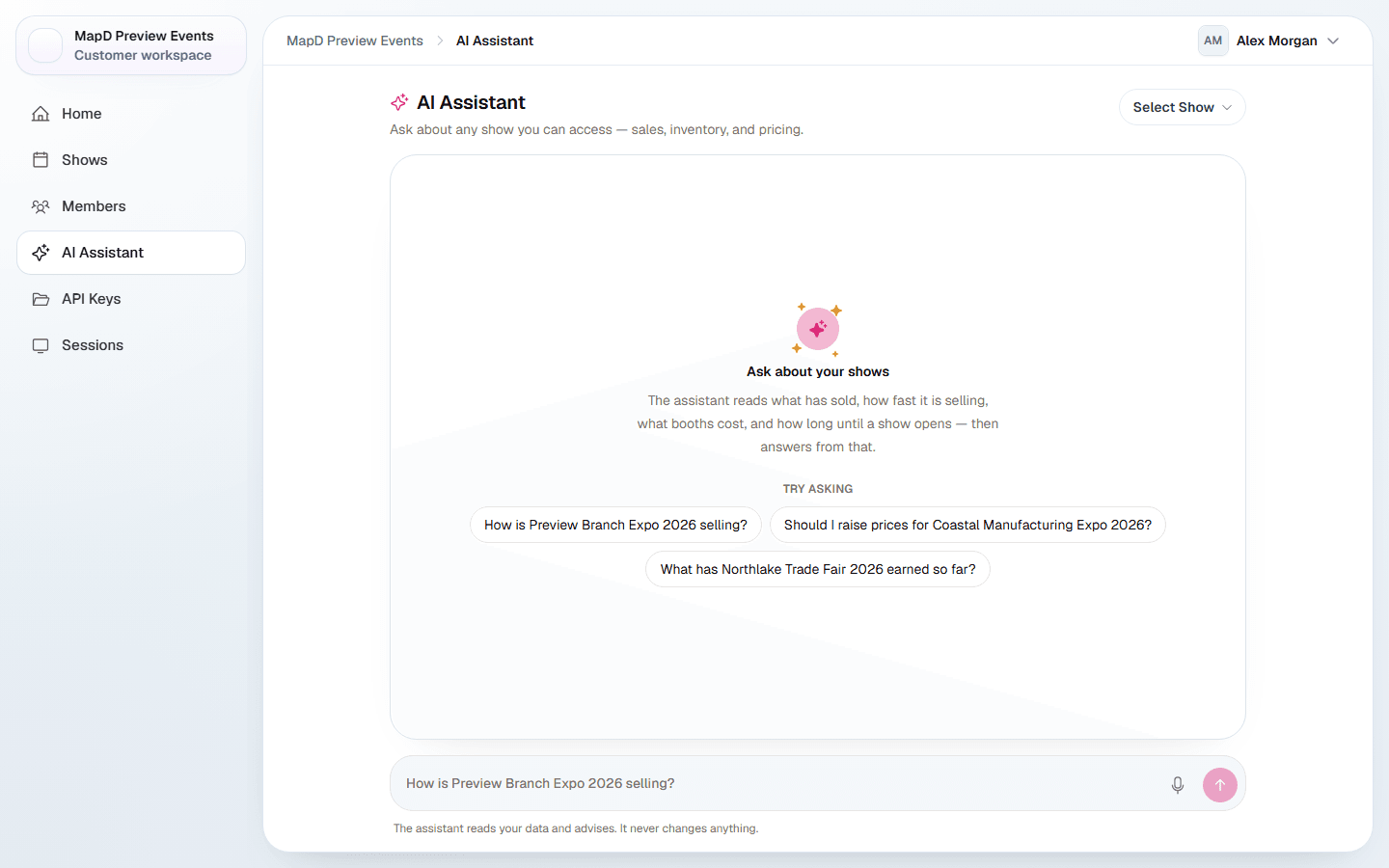
Ask a question
Choose a show from the picker at the top of the page, or leave it on All shows. Open the picker and type to search for a show. The show you pick appears above the question box; select the x beside its name to go back to all shows. Then type your question, or dictate it. Try:
- "How is my show selling?"
- "Should I raise prices for my show?"
- "What has my show earned so far?"
- "Which shows can I see?"
Answers only cover what your role can see. An Associate, for example, only gets answers about their assigned shows.
Select Stop to end an answer while it is still being written. Once you have asked something, Clear chat appears at the top of the page: select it to start over. If a conversation gets too long for the assistant to follow, it says so: select Start a new conversation to keep going.
If the assistant needs you to choose, such as which show you mean, it shows the answers as buttons above the box. Select one, or select Something else to type your own.
Ask how to do something
Ask "How do I open booth sales?" or "What will an exhibitor see when they check out?" and the assistant looks the answer up in the help center, replies briefly using the names you see on screen, and links the article it used so you can read the full steps. It works the same on the AI Assistant page, in a show's assistant panel and in the floor plan assistant.
It answers how-to questions only from the help center. If the help center does not cover your question, the assistant says so and suggests you contact Map D support, rather than guessing. You can mix both kinds of question in one message, for example why exhibitors cannot buy a booth and how to change that.
How much you can ask
Each person can ask the assistant up to 300 questions a day. Once you have used most of them, a note under the box shows how many you have asked. Long conversations keep going: the assistant keeps your recent questions in view and a short summary of earlier ones, so you do not need to start over partway through a task.
On the floor plan
The map editor has its own assistant that can also make changes to your floor plan, after you approve them. See The floor plan assistant.
In Claude or ChatGPT
You can also connect your own Claude or ChatGPT to Map D. See Connect Claude or ChatGPT.
Still need help?
Contact your Map D account team. Include your show name and, if something looks wrong, a screenshot of the page.
Last updated October 30, 2026