
Copy your profile from a past event
Fill My profile from an event you went to before: where to find it, which events are listed, what copies and what doesn't, and when you can't copy.
Been to an event before? Instead of typing your profile again, copy it from a past event into My profile here. A copy only fills what's empty: nothing you, your organizer or your registration already put on this event's profile changes.
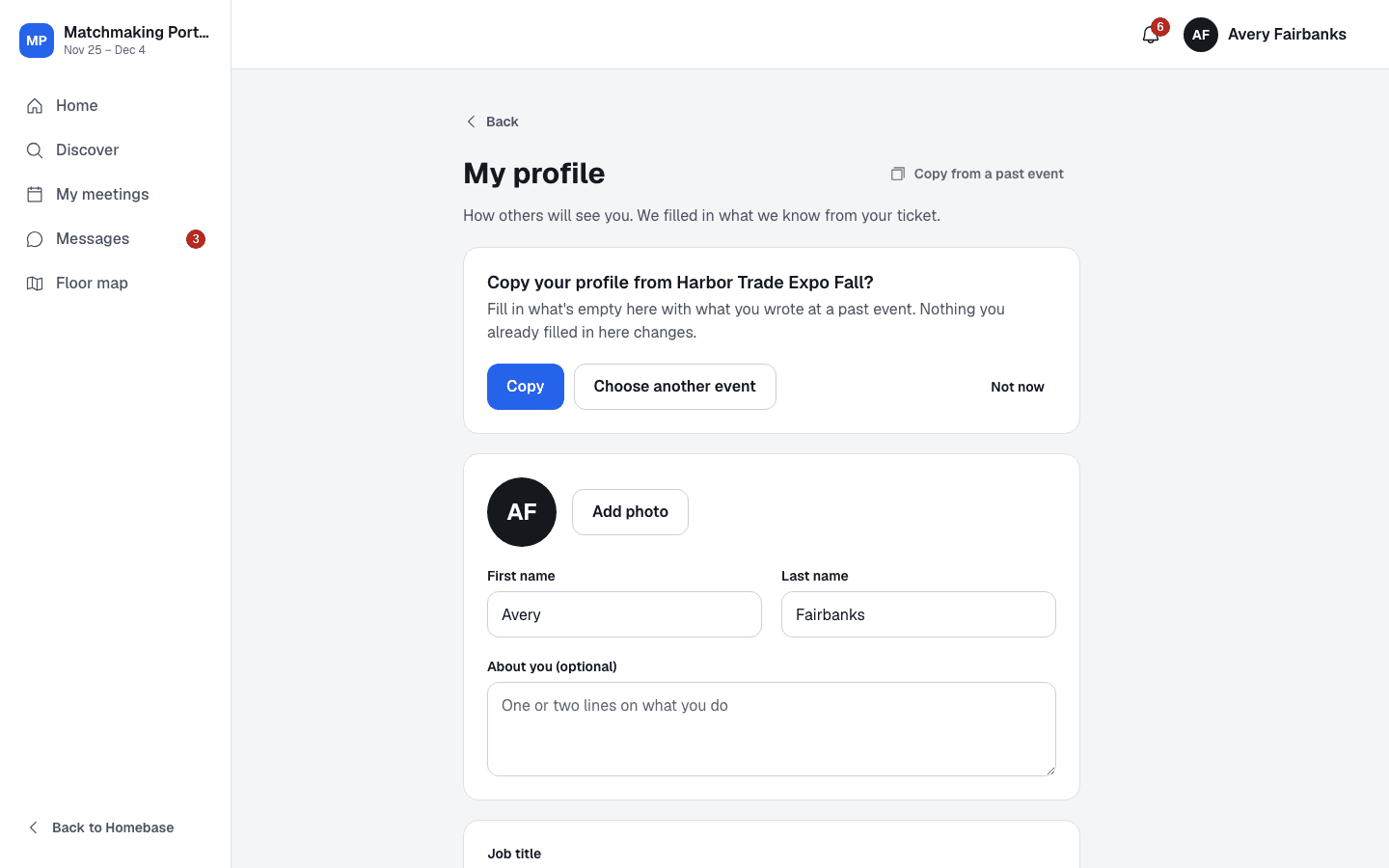
Where to find it
- The first time you open My profile at an event, a card asks Copy your profile from your most recent past event? Choose Copy to see what will copy, Choose another event to pick a different one, or Not now to hide the card. Once you choose Not now, or copy, the card doesn't come back at this event.
- Copy from a past event, beside the My profile title, is there whenever you have a past event to copy from, even after you've copied everything: the preview then says Everything is already filled in here.
You only see the card and the button when you have a past event with something to copy, and you can still edit your profile here.
Which events are listed
Copy from a past event lists the events that have ended where you had a profile under the account you're signed in with, newest first, with each event's organizer and dates. Events from any organizer are listed. An event is listed when your profile there has something this event could take, even if it's already filled in here. An event where your profile was empty isn't listed, and neither is an event you went to under a different email address. At most the 20 most recent events are listed.
Check what will copy, then copy
Pick an event. Choose Copy on the card, or choose an event from Copy from a past event.
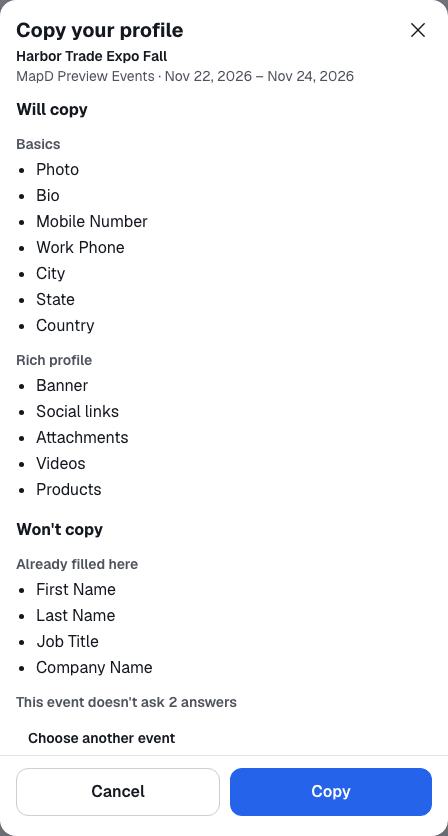
Read the preview. Will copy lists your Basics, your Rich profile blocks and your Answers that will copy. Won't copy lists what stays as it is here, and why.
Choose Copy. My profile shows the copied details straight away, and a message says how many fields, blocks and answers were copied. Cancel closes the preview without changing anything.
If you have changes on My profile you haven't saved, the event site asks first, because copying replaces what's on the page with your saved profile plus the copy.
What copies
| What | When it copies |
|---|---|
| Basics: your photo, name, job title, company, About you, phone numbers and address | Always, when the field is empty here |
| Rich profile: Banner, Logo, Social links, Attachments, Videos and Products | When the block is empty here and your organizer turned it on for you |
| Answers to the event's questions | When the same organizer ran the past event, this event asks a question with the same wording and answer type, and you haven't answered it here |
| Your sign-in email | Never |
- Already filled here. A field or block you, your organizer or your registration already filled in here is kept. A Rich profile block copies whole or not at all: if you already added one video here, none of your past videos copy.
- This event doesn't ask. An answer copies only when the past event was run by the same organizer as this one and this event asks a question worded the same way (capital letters and extra spaces don't matter) with the same kind of answer, such as text or a list of choices. If the organizer reworded the question or changed its kind of answer, or another organizer ran the past event, the answer stays behind and the question starts blank here. The preview counts these, for example This event doesn't ask 2 answers.
- Turned off at this event. A Rich profile block your organizer turned off here doesn't copy.
- No longer an option here. Choices are matched by their wording. A choice that this event's question doesn't offer is left out, and when none of your choices are offered here, the answer doesn't copy.
Your pictures and files are copied, not shared: this event gets its own copy, so removing or changing one here never touches your profile at the past event, and the other way round.
If your photo or a block couldn't be copied, the message after copying says so. Choose Copy from a past event again to fill it: what's already filled stays as it is.
When you can't copy
When your organizer manages profiles at this event, or matchmaking has closed, My profile is read-only and shows neither the card nor the button. If your organizer starts managing profiles while you're copying, nothing is copied and the event site says so.
See Your profile for everything else on My profile.
Still need help?
Contact your Map D account team. Include your show name and, if something looks wrong, a screenshot of the page.
Last updated November 27, 2026